One desk. One core underneath.
Alpha is a single native application. Every panel asks the same core for data and sends it every order, so what you see and what is enforced cannot drift apart.
In private development

A trading day, in order.
Before the open
Set the day’s limits first.
Your risk plan (daily loss, profit target, trailing limit, a losing-streak stop) lives in the core with the consequence you chose for each. The island shows the room left, all day.
More on this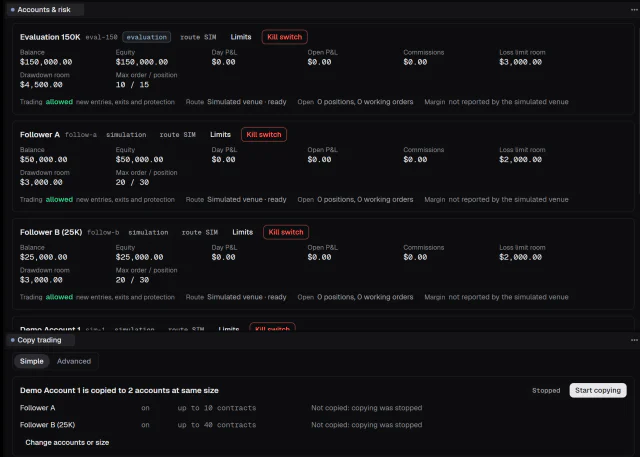
Accounts and risk: the room left in each limit, and a kill switch for every account. Reading the auction
Chart, footprint, ladder, tape.
Candles, footprint and profiles on one chart; a DOM with an estimated queue position; a tape with alerts you choose; the heatmap for resting size through time. Linked by symbol, so one click moves them together.
More on this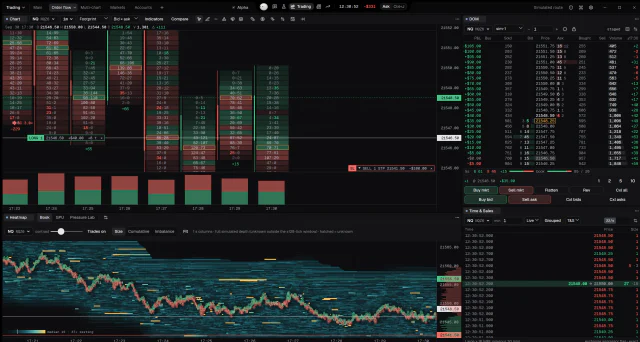
The Order flow page: footprint, heatmap, ladder and tape on one symbol. Acting
An order, checked like every other.
Six order types and seven order programs, each previewed by the authority before it is sent. Brackets and exit plans are managed on every tick. A click, a hotkey, a strategy and the Agent all meet the same checks.
More on this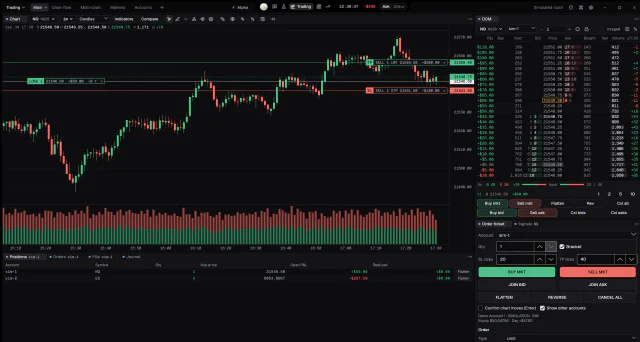
A long with its bracket on the chart, the ladder and the ticket. After the close
Review it where it happened.
Replay the session with the same panels, open the trade’s inspector, write the journal entry with its screenshot, and see what the day cost in fees and prop costs.
More on this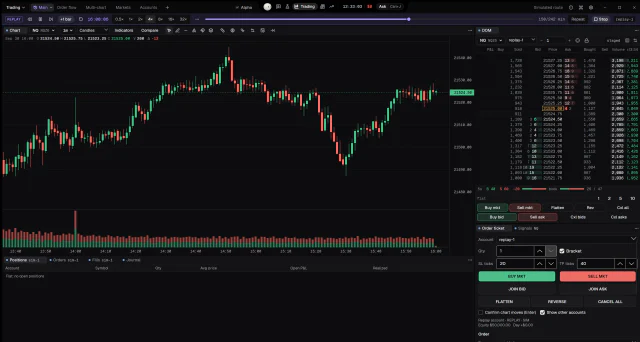
Replay at 4×, with its own replay account. Between sessions
Turn an idea into a test.
Write it in Strata, backtest it, optimise it, check it out of sample with walk-forward and Monte Carlo, and only then deploy it to a simulation account with its own book.
More on this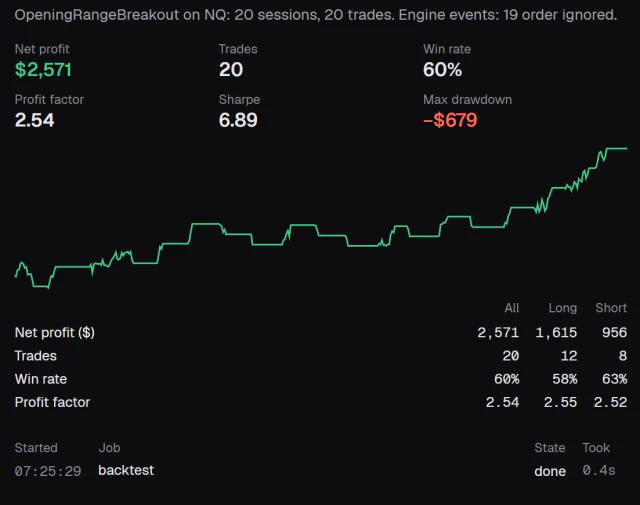
A backtest on 20 simulated sessions. Simulated results do not predict future results.


Every part of the workstation.
Thirty-nine panel kinds, five modules, one island. Each page shows the real app and states its limits.
- Charts and footprintInside every bar
- DOM and order flowQueue, tape, pull and stack
- Liquidity heatmapThe book through time
- Orders and riskOne authority decides
- Recording and replayReturn to the moment
- Strategies and researchStrata, walk-forward, cards
- Performance and journalReview what happened
- The island and OriWhat needs you, at a glance
- WorkspacesPages, pop-outs, hotkeys
- Custom indicatorsFive languages, isolated
- Options modelChain and GEX, labelled MODEL
- Every capabilityWith its status
- The AgentAsks before it acts
Why one core matters.
In many platforms the chart, the DOM, the risk module and the copier each hold their own idea of your position. Alpha keeps one: orders, risk, accounts and the validation of every setting live in one core, the authority. The interface asks and shows. It never decides.
That is why a loss limit set in the morning still holds when the Agent prepares an order at noon, and why a replay shows exactly what was enforced.
Every capability, with its statusIf your desk looks like this, we would like to hear how you would use it.